
Carlos Sulbaran
About
Game Developer (Software Engineering Background) with experience in desktop and mobile applications. Skilled in designing and developing creative, reliable, and scalable PC games with an agile approach, aligning high-level objectives with technical execution.Thanks for reading! Below, you’ll find a showcase of the projects I’ve worked on.
Projects

Talos Game Engine (C++)
Key Skills Applied
C++ Programming
DirectX 11 Graphics Programming
Custom Rendering Pipeline Architecture
Shader Programming (HLSL)
Real-Time Lighting and Shadow Mapping
3D Model and Texture Asset Integration
Input Handling Systems
Debugging and Graphics Diagnostics
Native Windows Application Development
Challenges Faced
Transitioning from OpenGL to DirectX 11
Initially, I expected DirectX to be significantly harder to learn due to its lower-level nature and verbose setup process. However, I found Microsoft's documentation and debugging tools to be exceptionally thorough, making concepts such as the graphics pipeline, resource management, and shader integration much easier to understand. In comparison, I found OpenGL's learning resources less structured and more difficult to navigate, which often slowed my progress. Because of this, I ultimately shifted my focus entirely to DirectX 11 development.This experience reinforced the value of well-designed documentation and improved my ability to learn unfamiliar technologies independently.

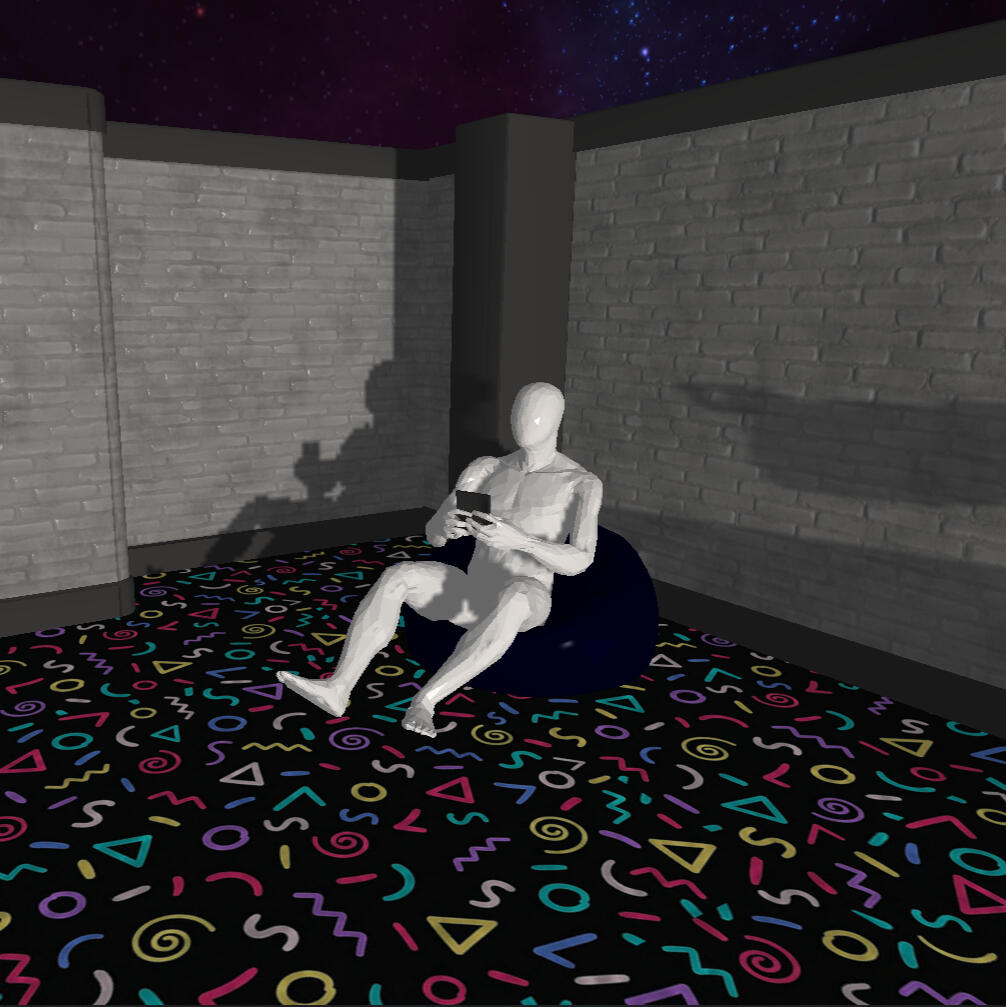
Shaders
One challenge I faced was learning HLSL shader development and adjusting to the GPU programming model. Unlike traditional C++ applications, shaders execute in parallel, requiring a different way of thinking about data processing and optimization. Debugging also presented unique difficulties, as errors often appeared as visual artifacts rather than clear exceptions or crashes. By systematically isolating shader stages and validating intermediate outputs, I was able to diagnose and resolve issues related to lighting, transformations, and rendering behavior.This experience enhanced both my understanding of GPU programming and my problem-solving approach when working with complex graphics systems.


Description
These memories feel awfully familiar... There's nothing wrong with reminiscing, right?A short atmospheric experience set within a dreamlike museum of forgotten gadgets.This project is a small demo of the Talos Game Engine that I built. I wanted to keep this experience simple while showcasing the engine's features. At the same time, I didn't want to give up on telling some kind of story, and this is what came out.
✦
Play and see for yourself!
Challenges Faced
Boilerplate Setup
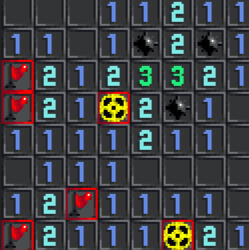
I would say that the most challenging part of making this game was the boilerplate setup. It is a time-consuming step, but it is just as important because you are building the skeleton of your game. This includes making a sprite loader, managing how the game loop plays out, and safely initializing and freeing all resources to prevent memory leaks. I would say that the most important thing from this step was keeping everything in the same format and organized.This sped up the rest of the game development.
New types of mines
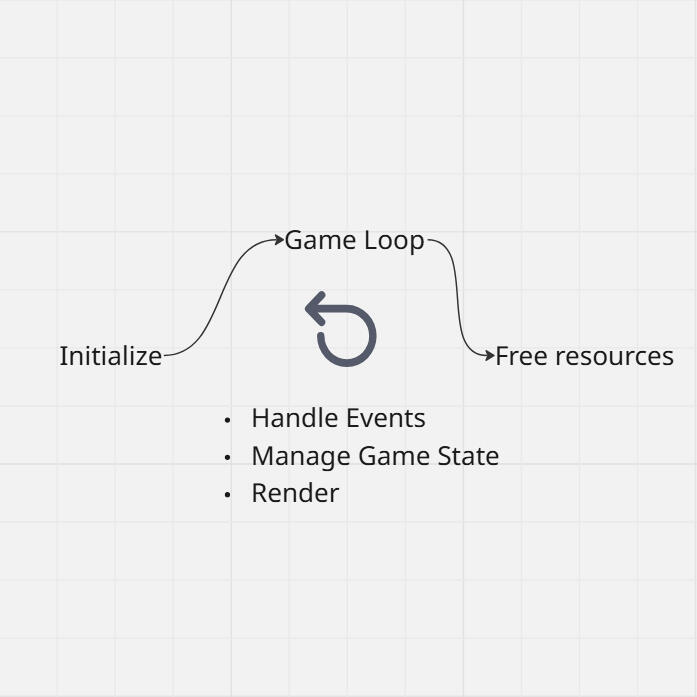
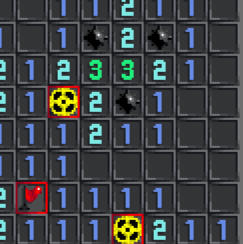
I wanted to switch it up for this project, instead of just making a classic Minesweeper. For this, I made the nuclear and proximity mines appear the deeper you go into the levels. To make this user-friendly, I had to make a separate window with the rules, how to identify them, and how to tackle them. The hardest part, coding-wise, was making the algorithm that creates the array for them and makes the player interact with them, but since the code was well-structured beforehand, it wasn't a big deal. Having scalable code helped me later fine-tune the feedback the player receives according to each bomb.For later levels, the diversity of bombs made more challenging puzzles easier to solve, but way more nerve-wracking.


Description
GridMaster is a minesweeper-like game with a dangerous twist.
Face 5 levels that get harder, harsher, and more unforgiving as you go.New mines. Classic rules. Same old tension.
Stay sharp, don’t give in… and prove you’ve got what it takes to become the GridMaster.
✦
Play and see for yourself!

Coach Marty (C++)
for College Football 26
Key Skills Applied
C++ Programming
Real-Time Image Processing
OCR Integration
Statistical Data Handling
Dynamic Prompt Generation for Character Simulation
Resource Management & Cleanup
LLM-Driven Coaching Feedback
Speech Synthesis Integration
Challenges Faced
Stats Detection
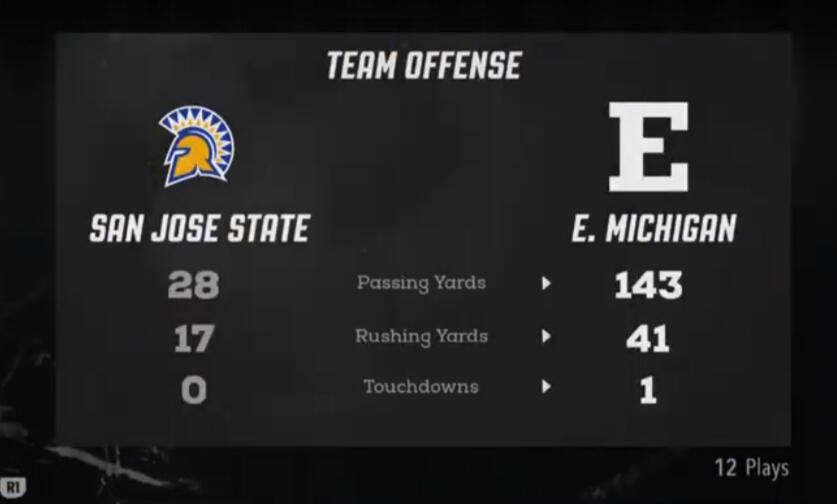
Finding a reliable way to get Game stats was a challenge. First, I scan the screen to see if we have stats available and if they are vital to avoid floating with information. Then, I preprocess the image to make it easier for the AI to read. The AI will read the text and fill in a sheet with all the vital information about the game. What was interesting was the need to know which team you are, since the players know, but the app inherently doesn't. A workaround for this was comparing the player's "mini logo" against the other teams' logos and finding which team you are playing.Good Preprocessing Engineering was key to detecting words, numbers, and logos more reliably.

LLM Integration
There are many ways to deploy an LLM model, but since I wanted anyone to be able to use this app, I went with Llama, which lets you load any model you want. One of the challenges was how I needed to dynamically engineer the prompts so they could adapt to the player’s stats and still deliver meaningful information. Another challenge was speed. I needed to select a model that would calculate fast enough to give the response back at halftime, before you are too far into the game, since that would destroy the whole purpose of the coach. After testing, I found that the Gemini 3 12B model was the best at doing this. Regardless, I made it so the user can modify the prompt to their needs.Some players only play offense, some only play defense, and the coach gives you the necessary information to improve.
Description
Coach Marty (BMS) is an companion app that brings Blue Mountain State’s legendary coach to your sideline. While you play College Football 26, the app captures the on-screen stat displays in real time using OpenCV and OCR. It automatically detects your team, tracks performance, and stores stats throughout the game. Coach Marty delivers a personalized game debrief at halftime or the final whistle. This is generated dynamically with an LLM and voiced through text-to-speech, giving you sharp, hilarious, and brutally honest coaching feedback.
✦
Try it yourself

Check-In Protocol (Unreal)
Key Skills Applied
C++ / Visual Scripting
Rapid Gameplay Prototyping
Gameplay Logic Design
Zombie AI Systems
Dynamic Blackout Events
Reactive Shooter Gameplay
Immersive Combat Feedback Systems
Atmospheric Horror Design
Challenges Faced
Soul Orb System
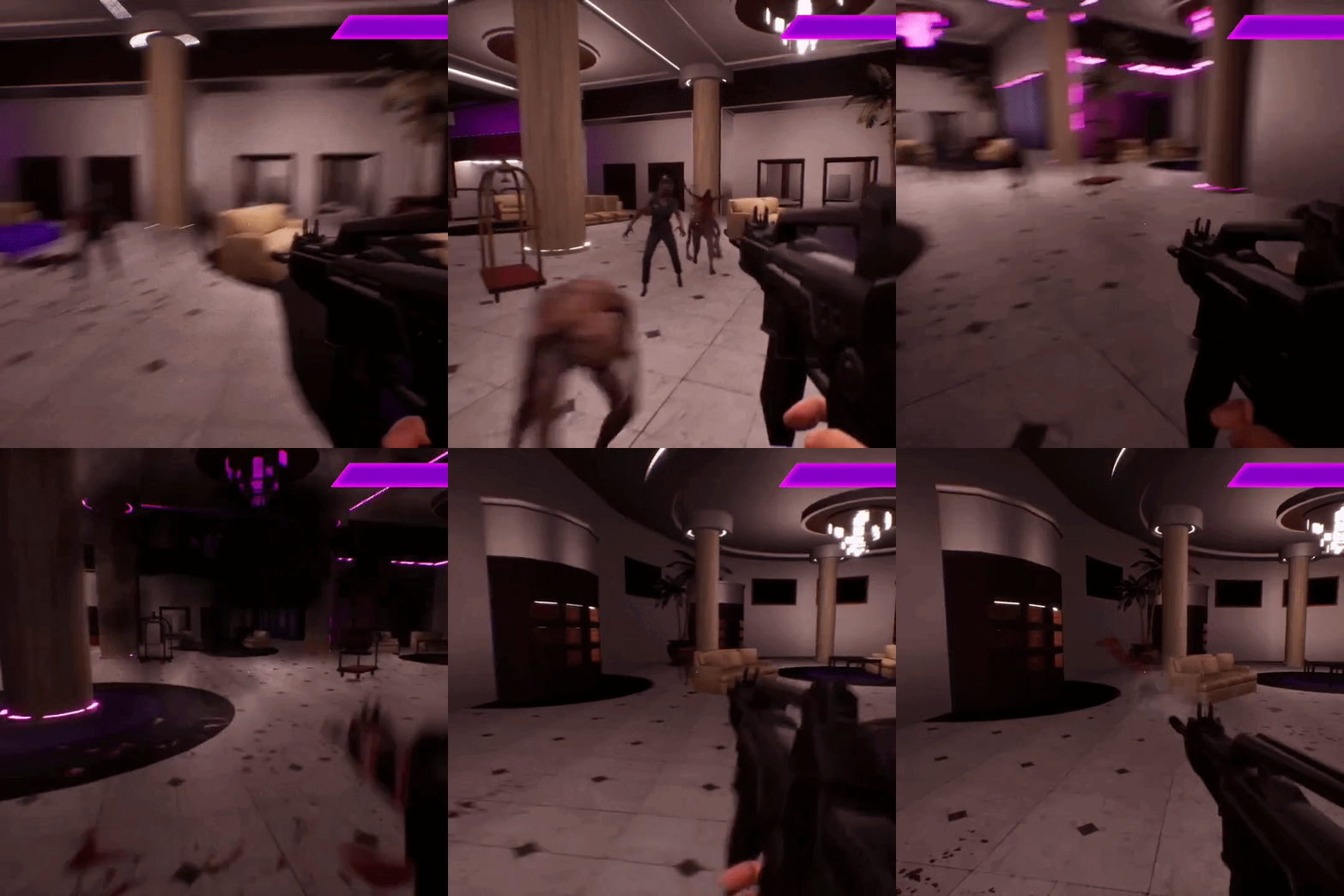
This was the core mechanic of the game. The Soul Orb system was designed to be the player’s only way of getting ammo, which meant that every interaction with it needed to feel both rewarding and challenging. What made this difficult to develop was balancing the timing and physics between the bat and the orb. The player needed a large enough time window to react and hit the orb consistently, while still keeping enough pressure through the sound cues, movement speed, and overall rhythm of the mechanic.What made this especially fun to optimize was how much tiny adjustments could completely change the feel of the game. A slight delay, a different bounce angle, or a faster audio cue could turn the mechanic from frustrating to satisfying almost instantly.Through constant iteration and testing, I learned that keeping the player experience at the center of development makes all the difference.
Visual Scripting
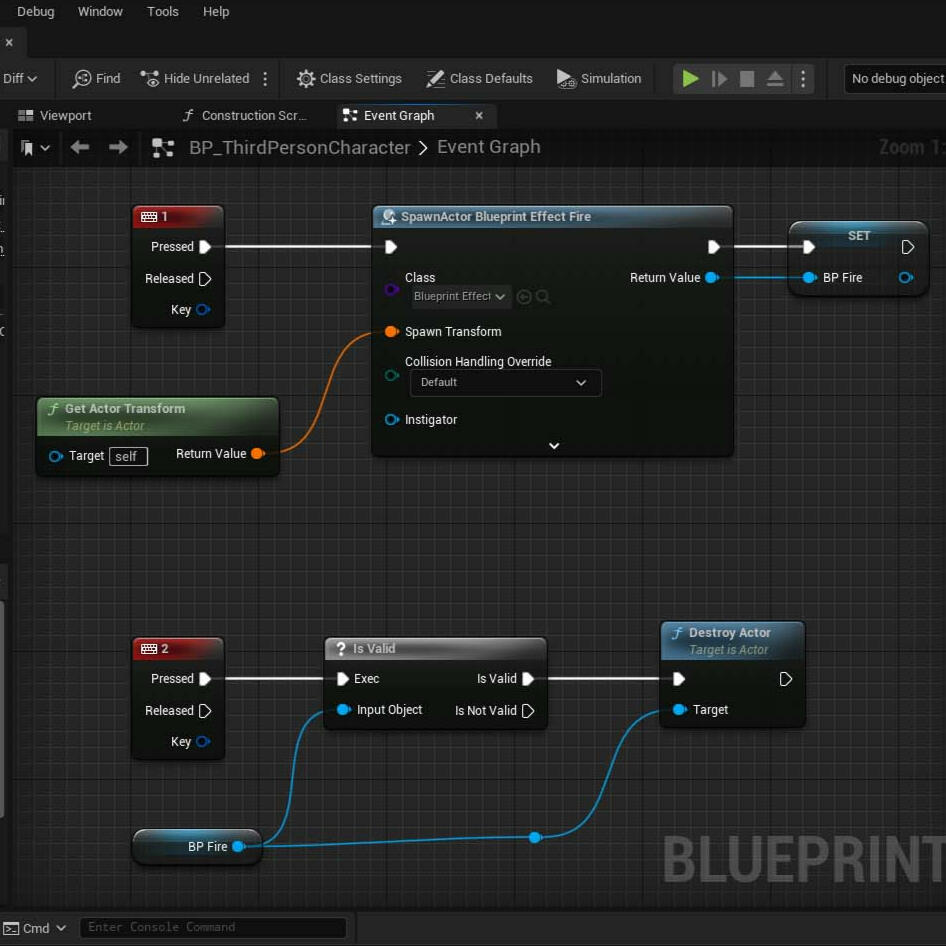
This was one of the most unfamiliar parts of development for me. As a programmer, I had never really worked with Visual Scripting in Unreal Engine, and at first I found the entire system confusing and unintuitive. Coming from a traditional coding background, translating logic into interconnected nodes instead of written code felt completely different from the way I normally approached problem solving.What made this experience interesting was learning the proper workflows, understanding how to structure systems efficiently, and spending time with the Unreal Engine documentation to understand the intended use cases behind the tools. Over time, the visual language started to make sense, and I began to see how quickly mechanics and interactions could be prototyped without writing large amounts of code.Learning Visual Scripting taught me that the best development tools are not always the most technical ones, but the ones that allow more people to create.


Description
Check In Protocol is a fast-paced, atmospheric zombie shooter set inside a hotel where something has gone terribly wrong.
The lights flicker. Then they fail.What remains are shadows, distant sounds, and the faint glow of emergency lights cutting through blood-stained halls. Every step forward pulls you deeper into a space that feels alive, watching, waiting.The rules are simple, but unforgiving. Stay accurate, and your power grows. Lose your rhythm, and it slips away. Time your actions carefully, read the signals around you, and strike at the right moment to unleash devastating force against the swarm.But something else lingers in the dark.A voice that reacts. That listens. That mocks.You are not just fighting to survive the hotel… you are part of it now.
✦
Play and see for yourself!

Challenges Faced
Map Generation
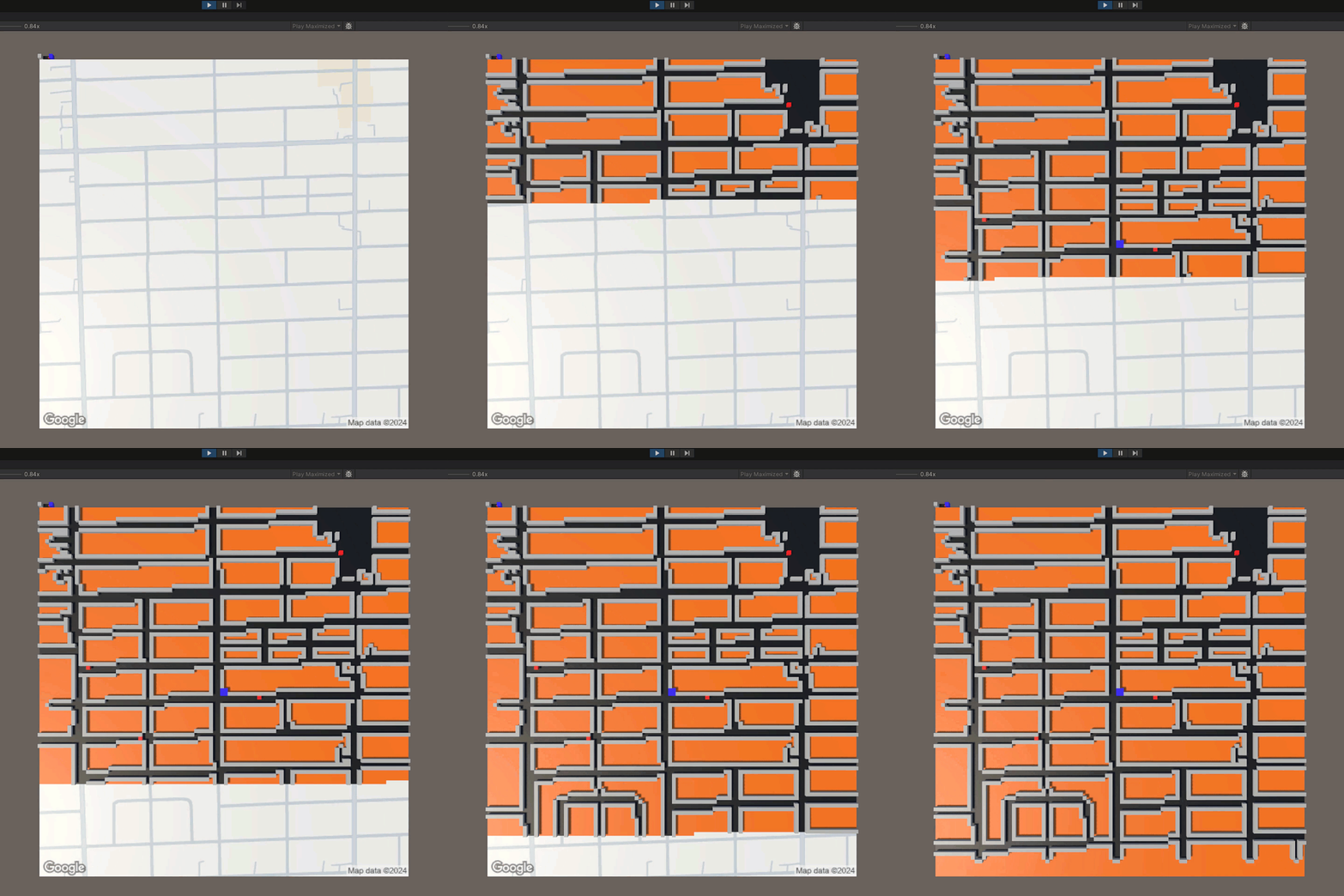
This was the most interesting part of this project. The Map generation works by getting an image of your location from Google Maps, simply looking at the pixels to see where there is a road, and then transferring that image to an array. But what made this interesting to develop was the special scenarios that could happen. For example, you could have a player in the middle of nowhere, someone with a bizarre street structure, or an XYZ reason that would make the game boring or unplayable. For that, I added an extra flood algorithm to ensure that the player can reach all the generators and that there is enough map to make the game enjoyable. If not, it would use a stock map, but the player could still get a picture of their home if Google Street View has it.I found it essential to prioritize player enjoyment over proving the "map generation concept".
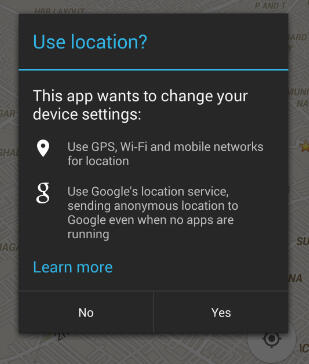
Location Services Plugin
One issue I noticed early on was that many people didn't know how to turn on their location when they were asked to. Usually, apps like Maps or Waze would turn on this automatically. This is done using Google's "Location SDK". Sadly, Unity's Android integration doesn't have a way to access this API, so I had to manually create a plugin on Android Studio containing a call to this API and add it to Unity. This was not easy at all. I researched a lot to find the correct version of Unity and the API that will work on most Android devices.This little detail, which usually goes unnoticed, made all my test players go from confused to actually being able to enjoy the game as intended.


Description
In The Dark is a horror game I created for Android devices that puts a fresh twist on the genre. You wake up in a pitch-black maze and must activate generators to find your way back home. The catch? The maze is generated based on your real-world surroundings, using your GPS location, Google Maps, and Street View (within a one-mile radius).The ending delivers a thought-provoking lesson about data sharing. But don’t worry, I don’t collect any data, and the game works perfectly fine if you prefer to keep your location private. Ready to take on the dark?
✦
Play and see for yourself!
Challenges Faced
Interact System
The interaction system I created was straightforward but flexible. First, I made a template (Interface), where each object will inherit its functions, but each type can do what it wants when called (Virtual). Now, there are many other game objects that these interactive objects would want to have access to, which is when the interactor comes in. The interactor will pass all the references of these objects through the interaction if the object asks for it. This was incredibly useful for animations and updating the UI.A modular Interact System makes adding new interactable objects and doing whatever you want with them super easy.

Minigames
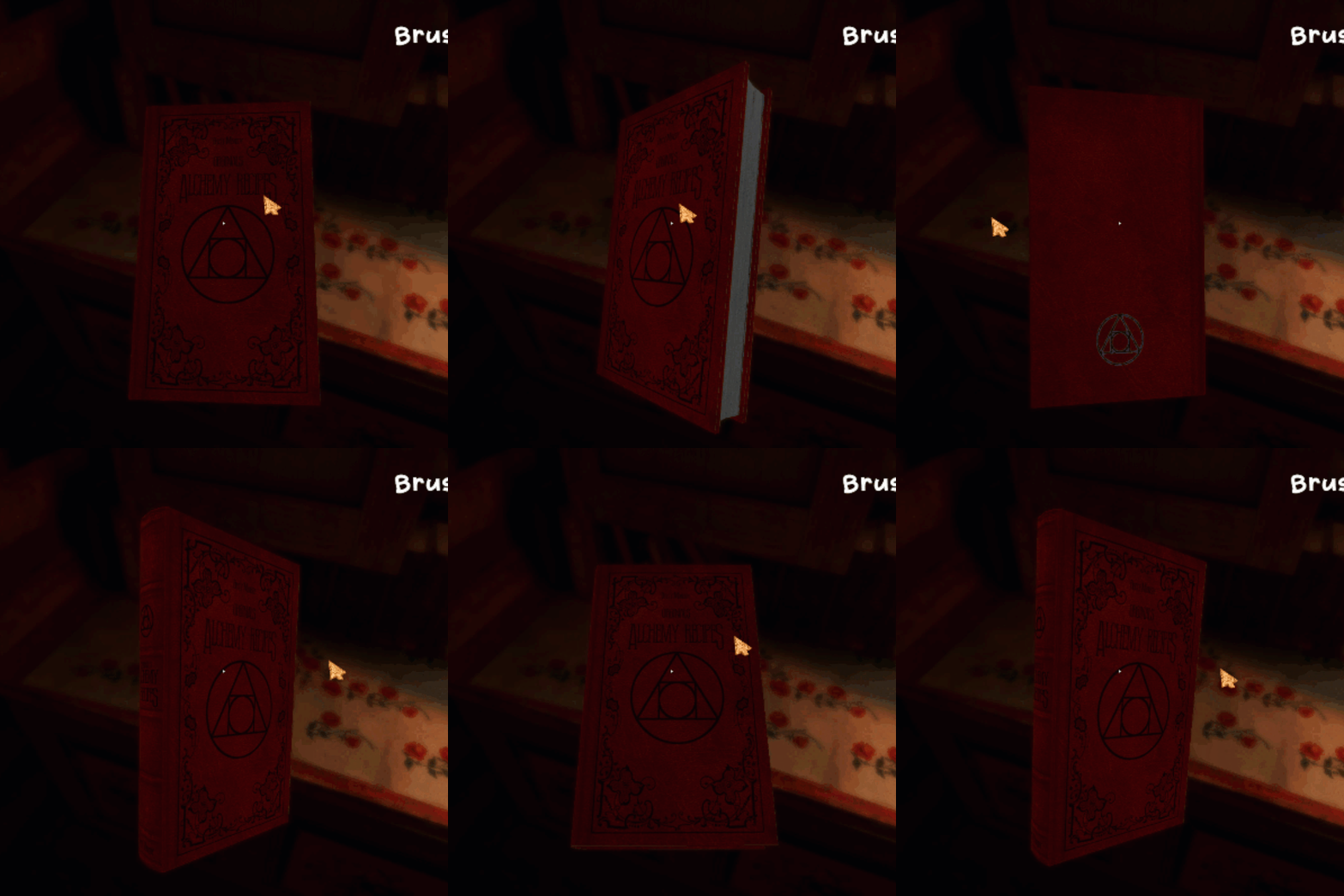
Chilling includes a couple of minigames. One tricky thing I found when developing them was making them intuitive for players. This game is not about being good or bad at minigames but about living. That made me inclined to make the minigames easy and provide intuitive feedback, with satisfying visuals and sounds if they were doing something good or bad.It is essential to keep the feel of the game, even through minigames. Immersion is super vital in games. It keeps players connected to your world.


Description
Chillin is a cozy, heartwarming experience set deep in the woods, where the only goal is... to simply chill.Live a quiet life close to nature as the seasons gently change around you. In winter, venture out to quietly look for wild deer. In spring, tend to your small garden. In summer, cast your line and fish at the lake. There are no timers. No pressure. No enemies. Just time, space, and stillness.I made Chillin with the objective of making a game that would warm your heart and offer a gentle escape from the noise of everyday life.
✦
Play and see for yourself!

BeepBoopLang
(Esoteric Language)
Key Skills Applied
C++ Programming
Compiler & Transpiler Development
Lexical Analysis (Tokenization)
Syntax Parsing & Translation
Language Design & Specification
Code Generation (BeepBoopLang → C++)
Command-Line Tool Development
Cross-Compiler Support (GCC)
Documentation & Developer Experience Design
Description
BeepBoopLang is an esoteric programming language I created for entertainment purposes, replacing traditional C++ keywords with various combinations of "beeps" and "boops." The project was a fun way for me to explore programming language design and transpiler development while building something that doesn't take itself too seriously.
✦
Personal About
Ever since I was a kid, I have dreamed of making video games and that dream has shaped my journey. Along the way, I’ve picked up skills as a web engineer, app developer, algorithmic trader, and, most importantly, as a game developer.I am all about balancing the big picture with the little details, and I value honesty above all else. My philosophy is simple: If I don’t know something, I will say so, but I can assure you I will also figure it out.